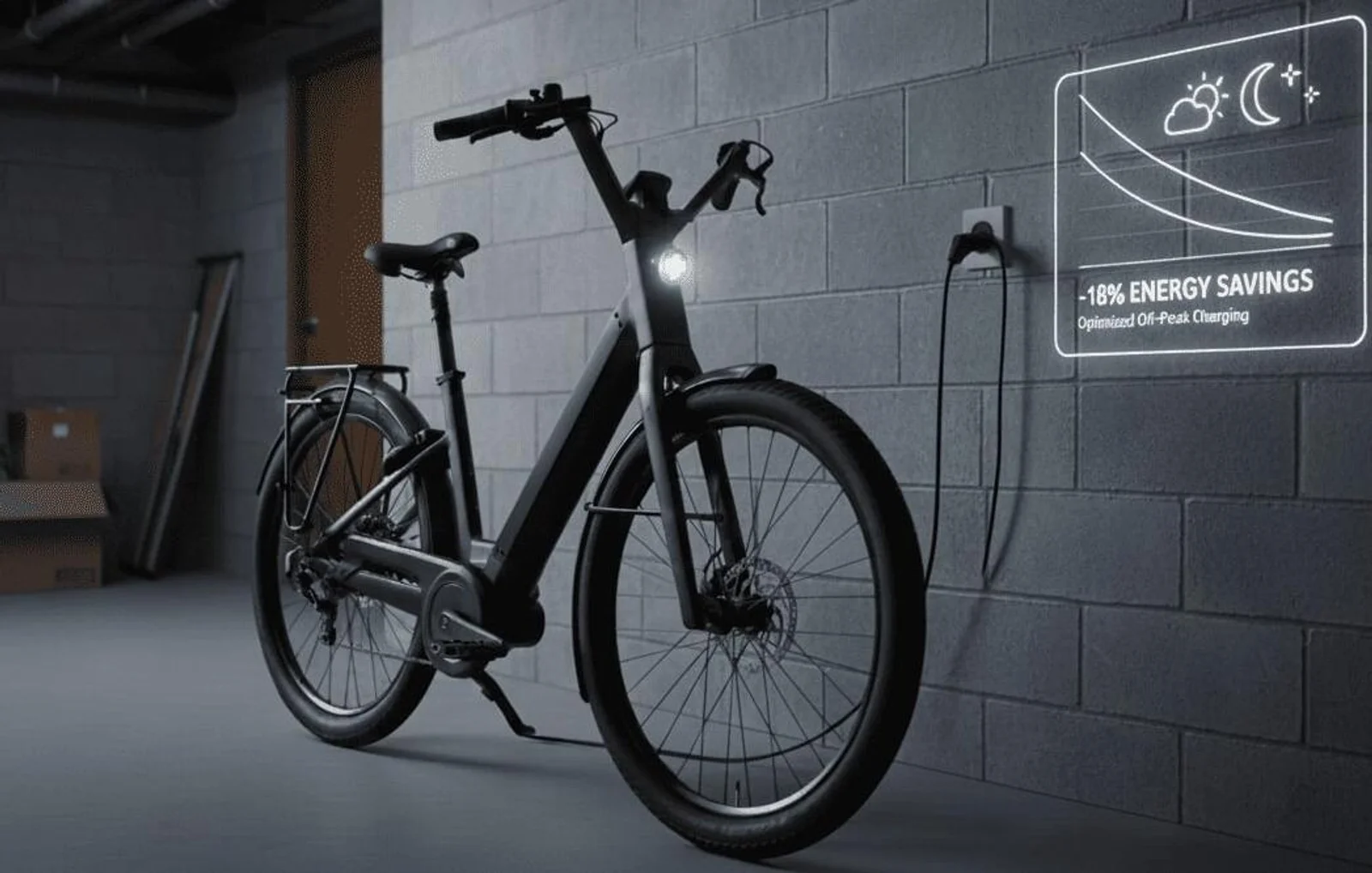
22 kg. That’s the weight of my Moustache Lundi 27 with a flat battery. Which means forgetting to charge before a commute turns the bike into an anchor.
The problem is, I don’t want to plug in my bike the moment I get home. With a peak/off-peak tariff, starting a charge at 6 pm makes zero economic sense. And getting up at 10:01 pm to press a button? No thanks.
The goal is simple: plug in the bike whenever it’s convenient, and let Home Assistant handle the optimization. In practice, the automation should:
- Start charging automatically at 10:01 pm (start of off-peak hours).
- Cut the socket as soon as charging is complete… or if nothing is drawing power.
Result: you plug in whenever you like, Home Assistant handles the rest. And crucially, the socket doesn’t stay powered for nothing.
❓ Why a simple ON/OFF at 10 pm isn’t enough
A socket that turns on at 10 pm is a good start. But in real life, two scenarios cause problems:
- The bike isn’t plugged in (or the charger isn’t connected properly). The socket turns on… for nothing.
- The battery is already full. The charger goes to standby, but the socket stays ON.
I wanted something smarter: turn on at the right time, then switch off automatically as soon as power draw drops.
✅ The 3 essential elements of the automation
Power measurement: the sensor that makes all the difference
The heart of the system is the power measurement in watts (W) from the smart plug, available in Home Assistant via a sensor like:
sensor.smart_plug_ebike_charger_power
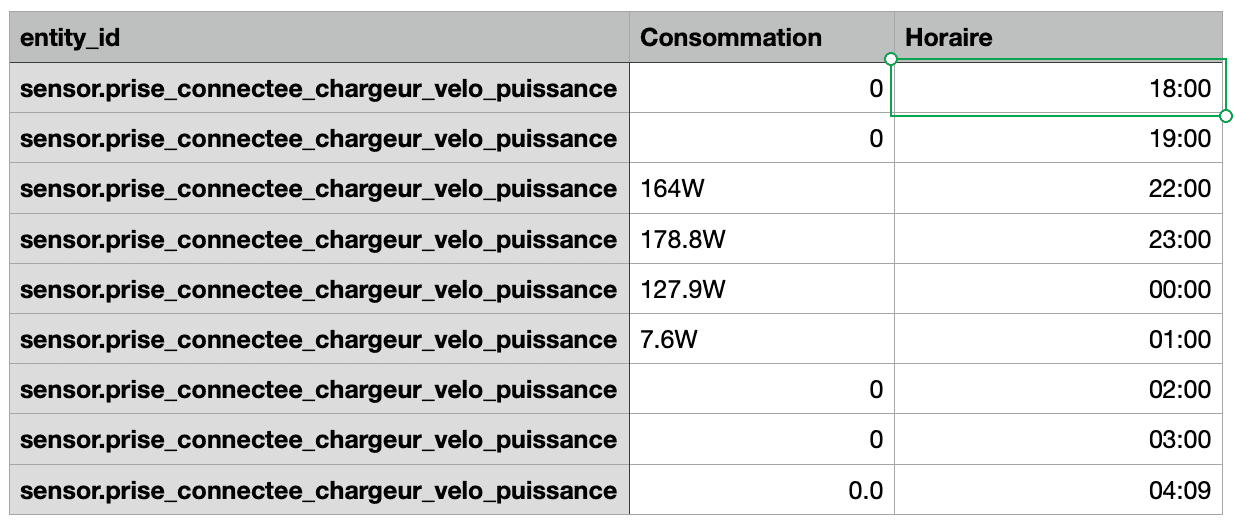
- When the charger is actually charging, power is clearly above a few watts.
- When it’s not charging (bike absent, charge complete, charger on standby), power drops.
The power threshold: how to decide “charging” / “not charging”
I use a simple threshold: 5 W.
- Above 5 W: charging is in progress.
- Below 5 W: not charging, or no longer charging.
This threshold depends on your charger. The idea is to find a value that works for you.
Why “for 2 minutes”?
Because power can fluctuate. A brief dip shouldn’t cut the charge.
So I require: power < 5 W for 2 minutes before cutting. This prevents spurious disconnections.
🔌 Equipment used: Sonoff S60ZBTPF Zigbee plug
I use a Sonoff S60ZBTPF Zigbee smart plug:
- Zigbee: responsive and stable, and it doesn’t burden the Wi-Fi network.
- Power measurement: essential to automatically cut when charging is done (or if nothing is charging).
.jpg)
🤖 The Home Assistant automation (YAML included)
What the automation does
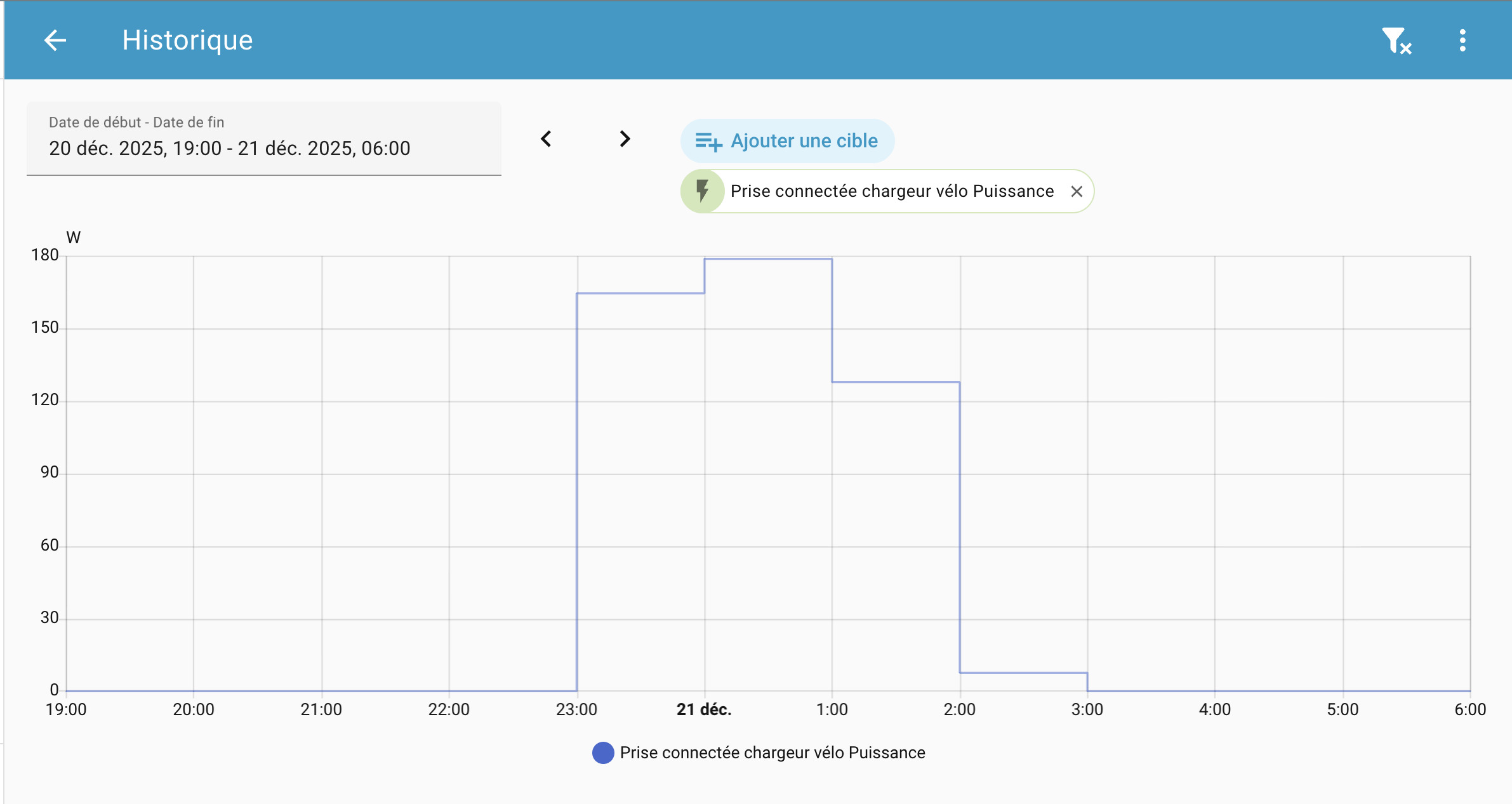
- At 10:01 pm, Home Assistant turns on the charger socket.
- It waits 30 seconds (time for the charger to actually start).
- If power is < 5 W, it cuts immediately: probably nothing to charge.
- If charging starts, Home Assistant monitors the power.
- When power stays < 5 W for 2 minutes, it cuts: charge complete.
In short: it starts automatically, it stops automatically, and the socket never stays ON “for nothing”.
The complete YAML
alias: E-bike charger plug – ON 10:01pm, OFF if nothing or charge complete
description: >-
  Turns on at 22:01. Turns off if power < 5W (immediately after turn on) or for
  2 min at night.
triggers:
  - at: "22:01:00"
    id: start
    trigger: time
  - entity_id: sensor.smart_plug_ebike_charger_power
    below: 5
    for: "00:02:00"
    id: done
    trigger: numeric_state
conditions: []
actions:
  - choose:
      - conditions:
          - condition: trigger
            id: start
        sequence:
          - target:
              entity_id: switch.smart_plug_ebike_charger
            action: switch.turn_on
            data: {}
          - delay: "00:00:30"
          - condition: numeric_state
            entity_id: sensor.smart_plug_ebike_charger_power
            below: 5
          - target:
              entity_id: switch.smart_plug_ebike_charger
            action: switch.turn_off
            data: {}
      - conditions:
          - condition: trigger
            id: done
          - condition: state
            entity_id: switch.smart_plug_ebike_charger
            state: "on"
        sequence:
          - target:
              entity_id: switch.smart_plug_ebike_charger
            action: switch.turn_off
mode: restart
Three concrete scenarios (what changes day to day)
Scenario 1 — You plug in the bike when you get home At 10:01 pm, the socket turns on, charging starts, then the socket switches off automatically when done. Nothing to monitor.
Scenario 2 — The bike isn’t actually plugged in At 10:01 pm, the socket turns on… but power stays < 5 W. 30 seconds later, Home Assistant cuts it. No socket left ON until morning.
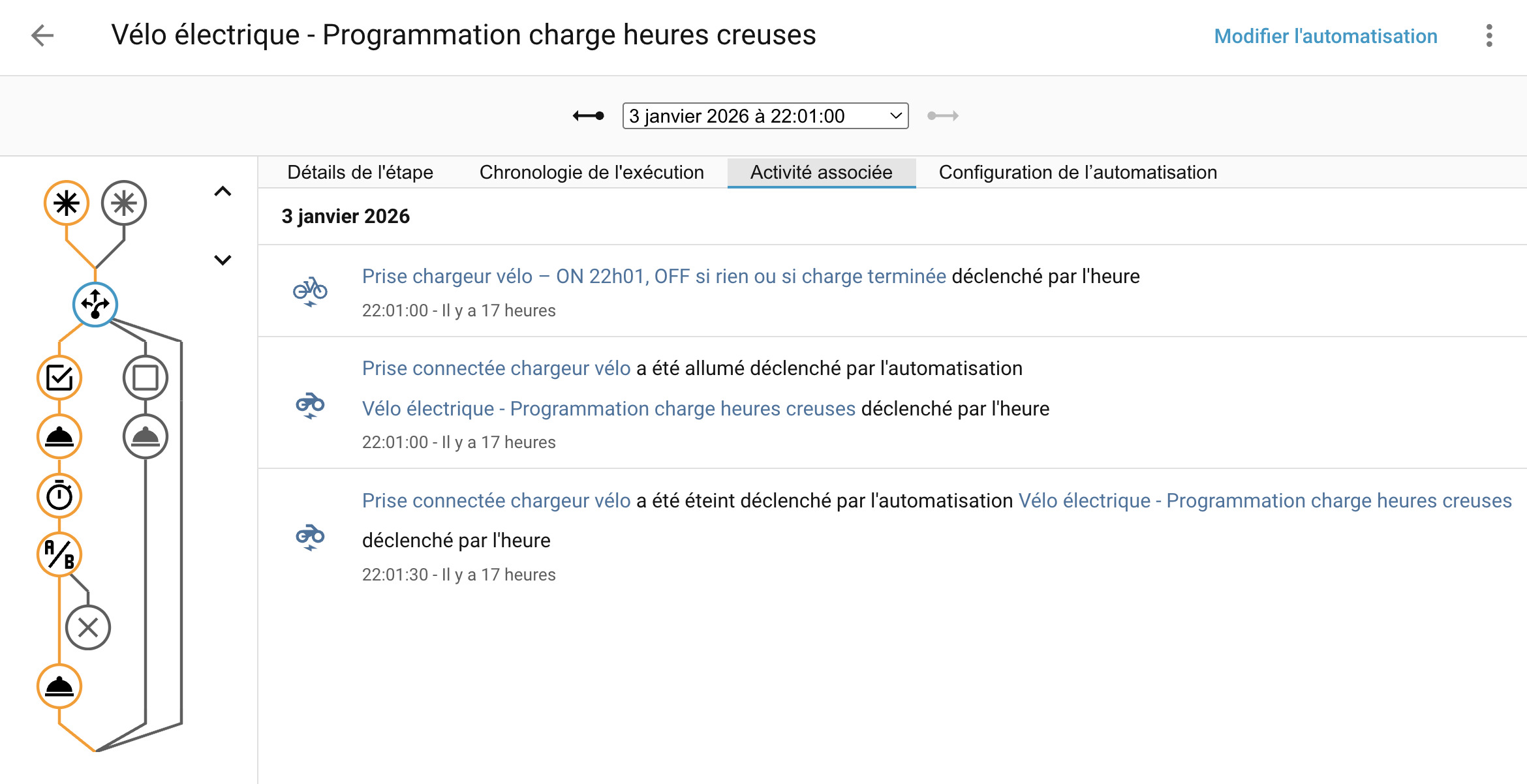
Scenario 3 — Battery already full The socket turns on at 10:01 pm, but consumption stays low (charger on standby). Result: quick cut, no unnecessary power draw.
Tip: if your charger sometimes draws 6–8 W on standby, raise the threshold (e.g. 10 W) and observe one or two complete cycles to validate.
🎉 What you gain day to day
This automation eliminates a daily annoyance: benefiting from off-peak hours without thinking about it. You plug in the bike whenever you like, then Home Assistant handles the rest:
- starts at 10:01 pm,
- cuts quickly if nothing is charging,
- stops automatically when charging is complete.
If you want to go further, the logical next step is a small “charge complete” notification (or an alert if the bike wasn’t plugged in). But even without that, you already have autonomous, clean, hassle-free charging.
❓ FAQ
Questions fréquentes
Does a "simple" smart plug suffice, or do I need one with power measurement?
But to automatically cut when charging is done (or if nothing is charging), you need a plug that reports power in watts (W) to Home Assistant.
How do I choose the right threshold (5W) to decide "charging" / "no longer charging"?
Quick method:
- Check the power history: active charging vs standby (full battery / not plugged in),
- Set the threshold above standby but well below active charging,
- Test 1-2 complete cycles and adjust (if your charger "idles" at 6-8W, go up to 10W instead).
My off-peak hours don't start at 10:01 pm: what do I do?
Two simple options:
- Fixed time: replace 10:01 pm with your own schedule,
- Variable schedule: trigger the automation on an "off-peak hours" indicator (if you have one in your system), rather than a fixed time.

.CUeYkqze.png)